Quick Start Guide for Holdings on FYERS
You can use this section to review your portfolio value, investment performance, asset allocation, and pledge status.
Holdings overview
Holdings displays all investments held in the account, including stocks, ETFs, mutual funds, fixed deposits, and pledged securities. It also shows portfolio-level values such as invested value, current value, today’s profit or loss, total profit or loss, allocation, and portfolio movement over time.
Summary section
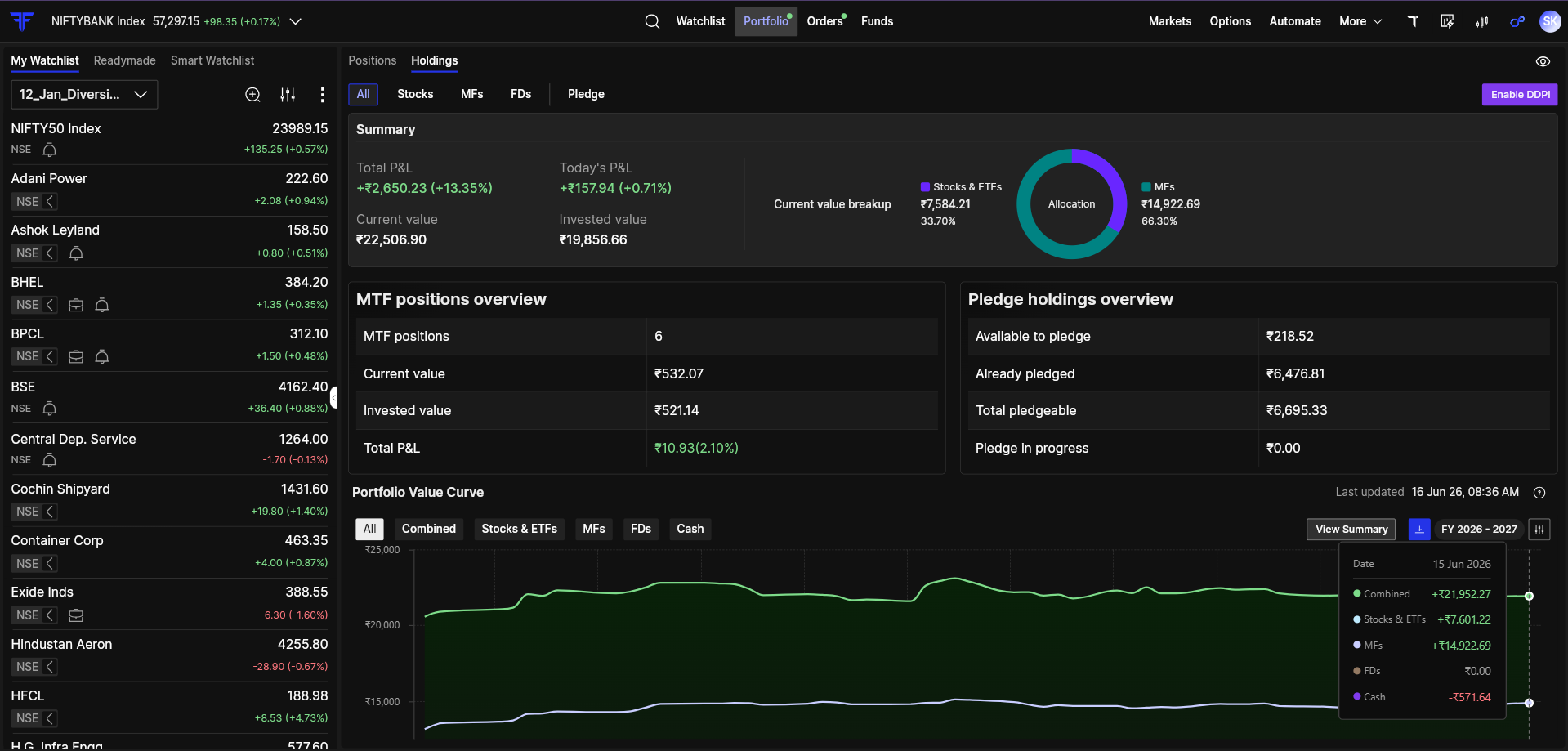
The summary section gives you a quick snapshot of your overall portfolio.
| Field | Description |
|---|---|
| Total P&L | Shows the overall profit or loss on your investments. |
| Today’s P&L | Shows the change in profit or loss for the current day. |
| Current Value | Shows the current value of investments in your portfolio. |
| Invested Value | Shows the total invested amount in supported asset classes. |
| Allocation | Shows how your invested amount is distributed across different asset classes. |
| Portfolio Curve | Tracks changes in portfolio value over time. |
Stocks
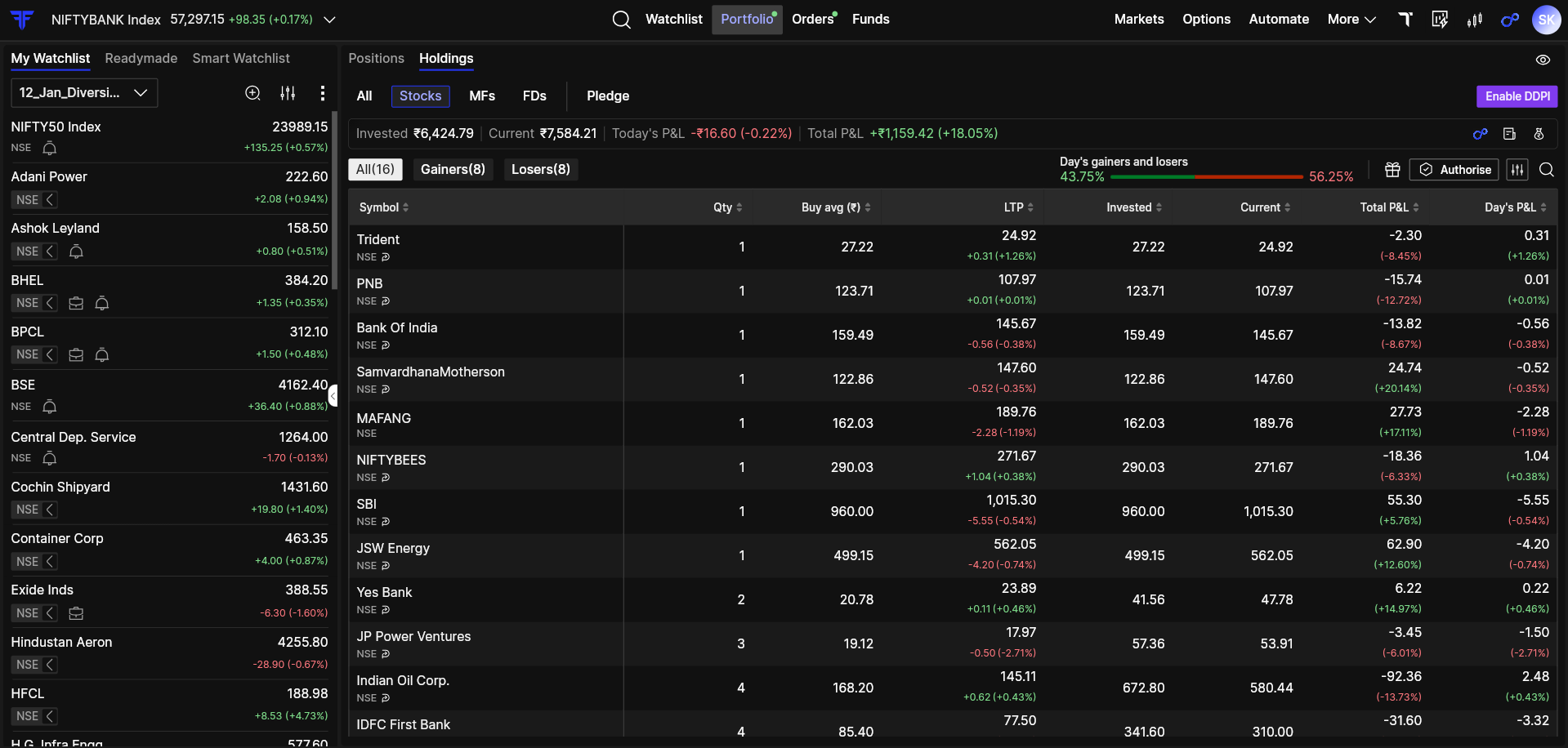
The Stocks section shows investment and performance details for stocks and ETFs held in your FYERS account.
| Field | Description |
|---|---|
| Total P&L | Shows the overall profit or loss on your stock and ETF holdings. |
| Today’s P&L | Shows the change in profit or loss for the current day. |
| Current Value | Shows the current market value of your stock and ETF holdings. |
| Invested Value | Shows the amount invested in stocks and ETFs. |
Mutual Funds
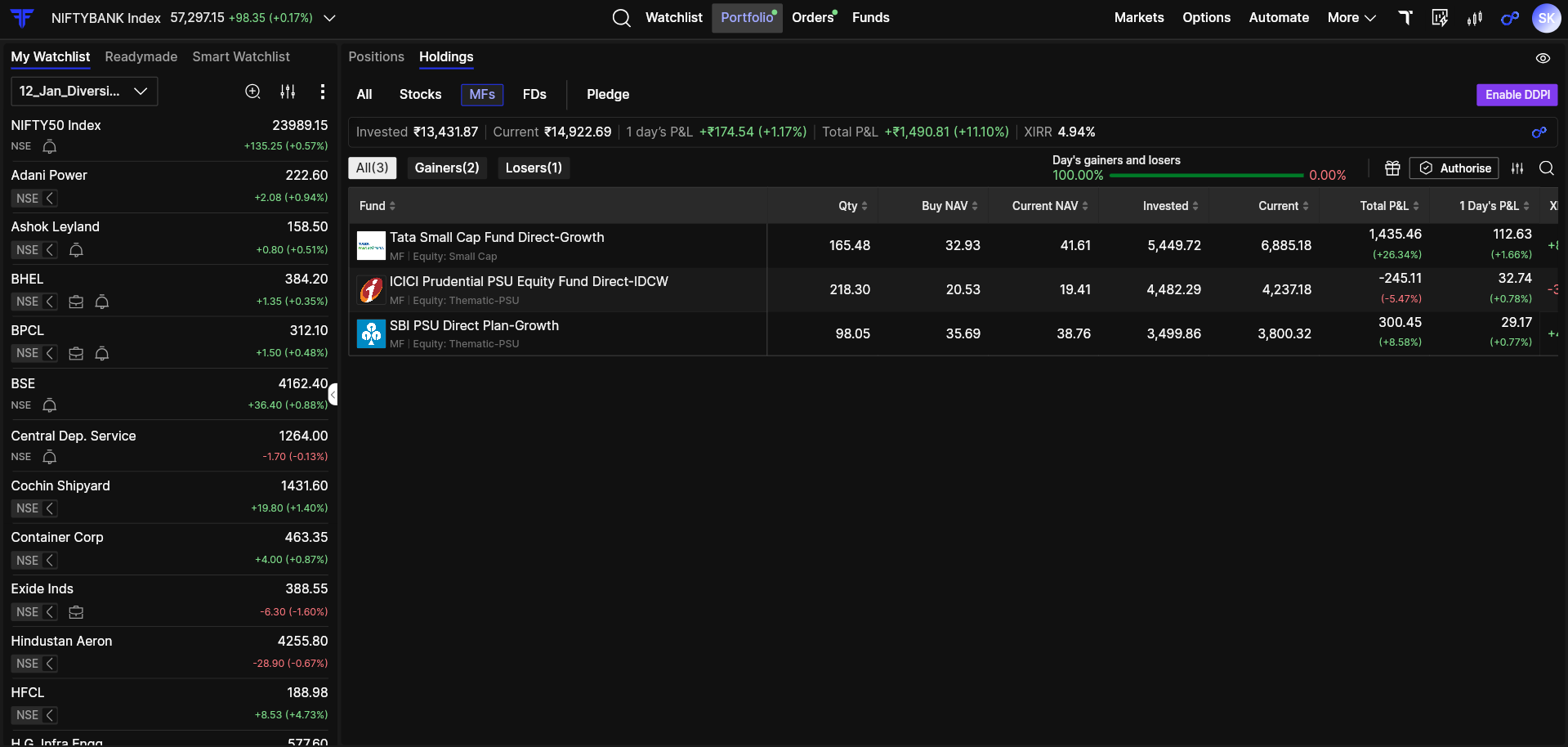
The Mutual Funds section shows investment and performance details for mutual fund holdings in your FYERS account.
| Field | Description |
|---|---|
| Total P&L | Shows the overall profit or loss on your mutual fund investments. |
| Current Value | Shows the current value of your mutual fund holdings. |
| Invested Value | Shows the amount invested in mutual funds. |
| XIRR | Shows the annualized return of your mutual fund investments. |
Fixed Deposits
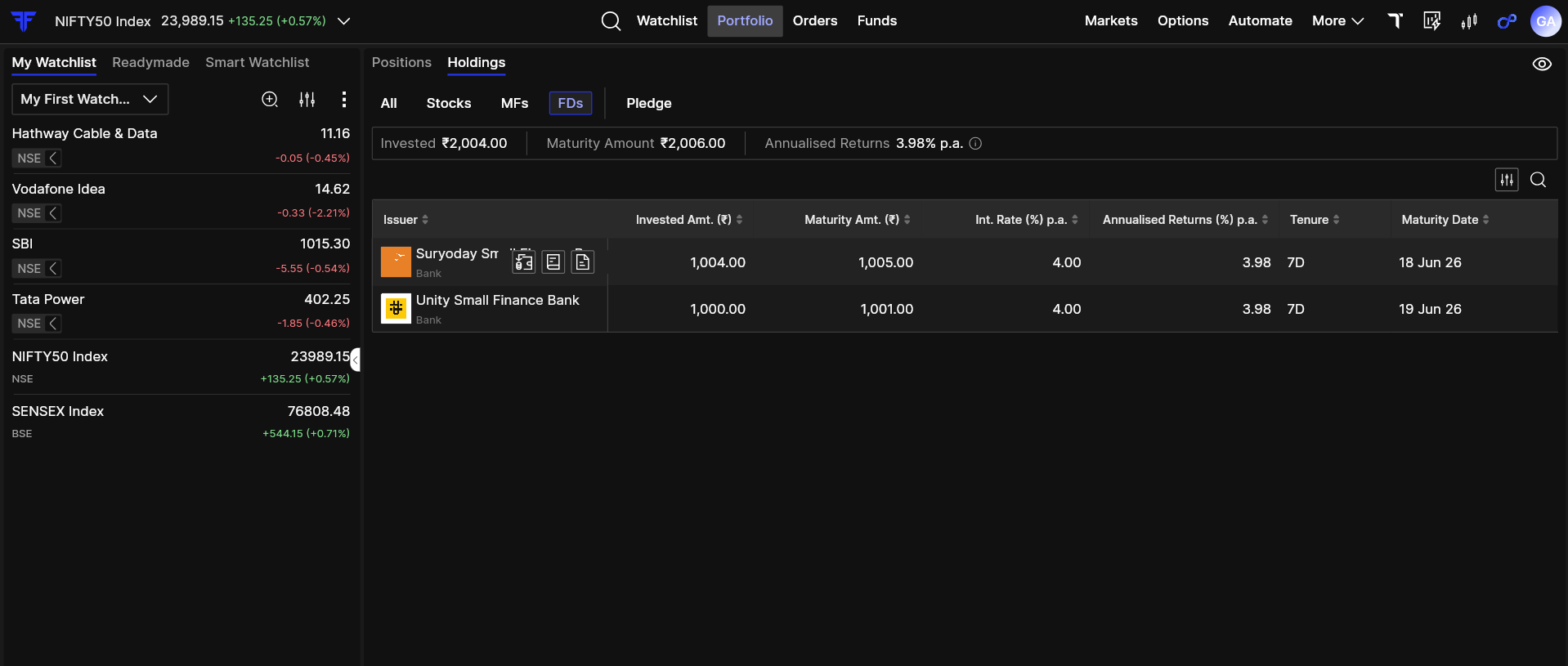
The FDs section shows fixed deposit-related investment details.
| Field | Description |
|---|---|
| Invested | Shows the amount invested in fixed deposits. |
| Maturity Amount | Shows the expected amount at maturity. |
| Annualised Returns | Shows the annualized return from the fixed deposit investment. |
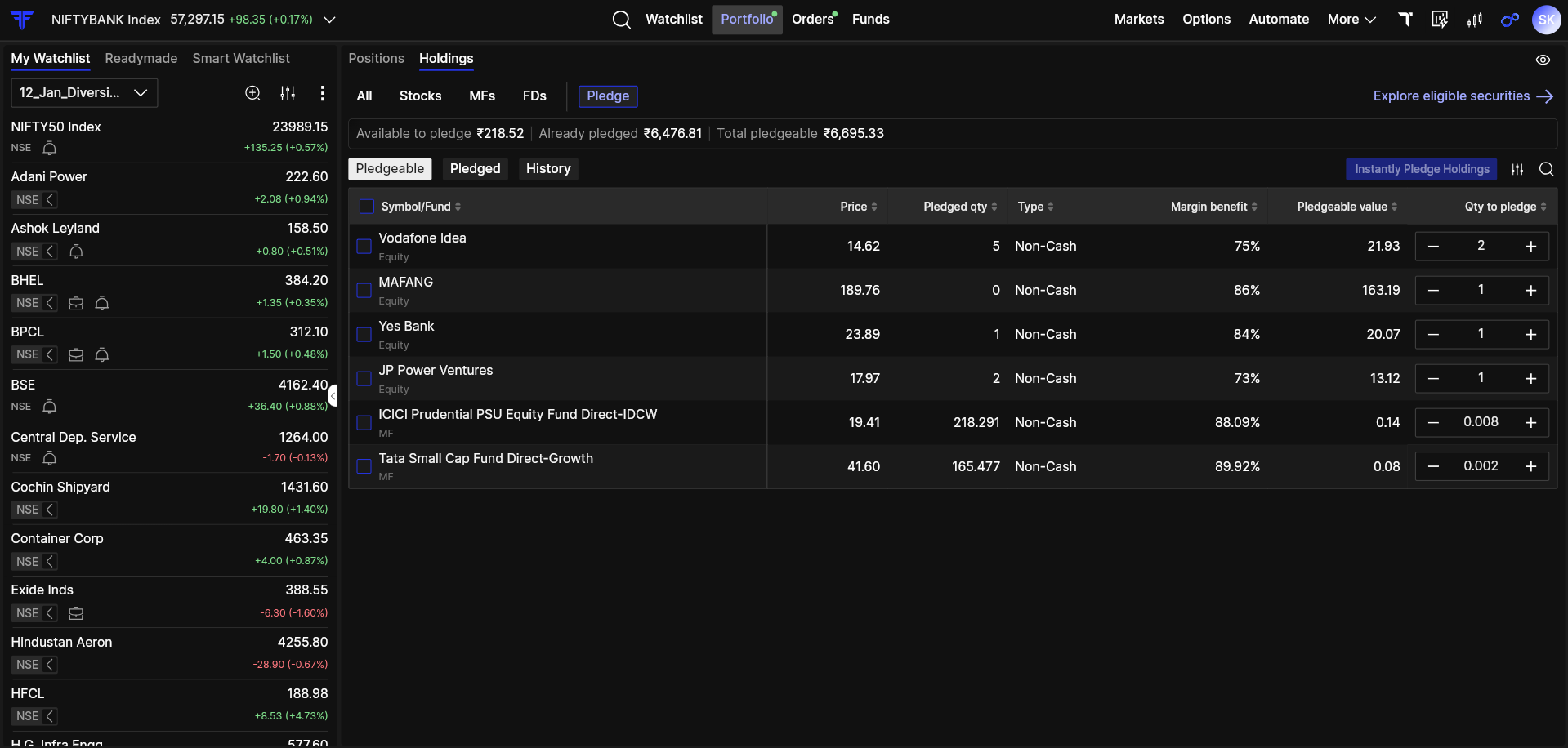
Pledge section
The pledge section helps you track eligible, pledged, and historical pledge-related details.
| Section | Description |
|---|---|
| Pledgeable | Shows holdings that are eligible to be pledged. |
| Pledged | Shows holdings that have already been pledged. |
| History | Shows pledge and unpledge details over a period of time. |
Key points to remember
- Holdings provides a consolidated view of investments in your FYERS account.
- Current value and P&L may change based on market movement.
- Invested value shows the amount invested in supported asset classes.
- XIRR is applicable to mutual fund investments.
- The pledge section helps you track eligible holdings, pledged holdings, and pledge/unpledge history.