How to track positions on FYERS?
The first thing a trader wants to know as soon as he/she enters the trade is 'How to track positions'. The position of any particular scrip can be tracked on its chart itself as pictured below:
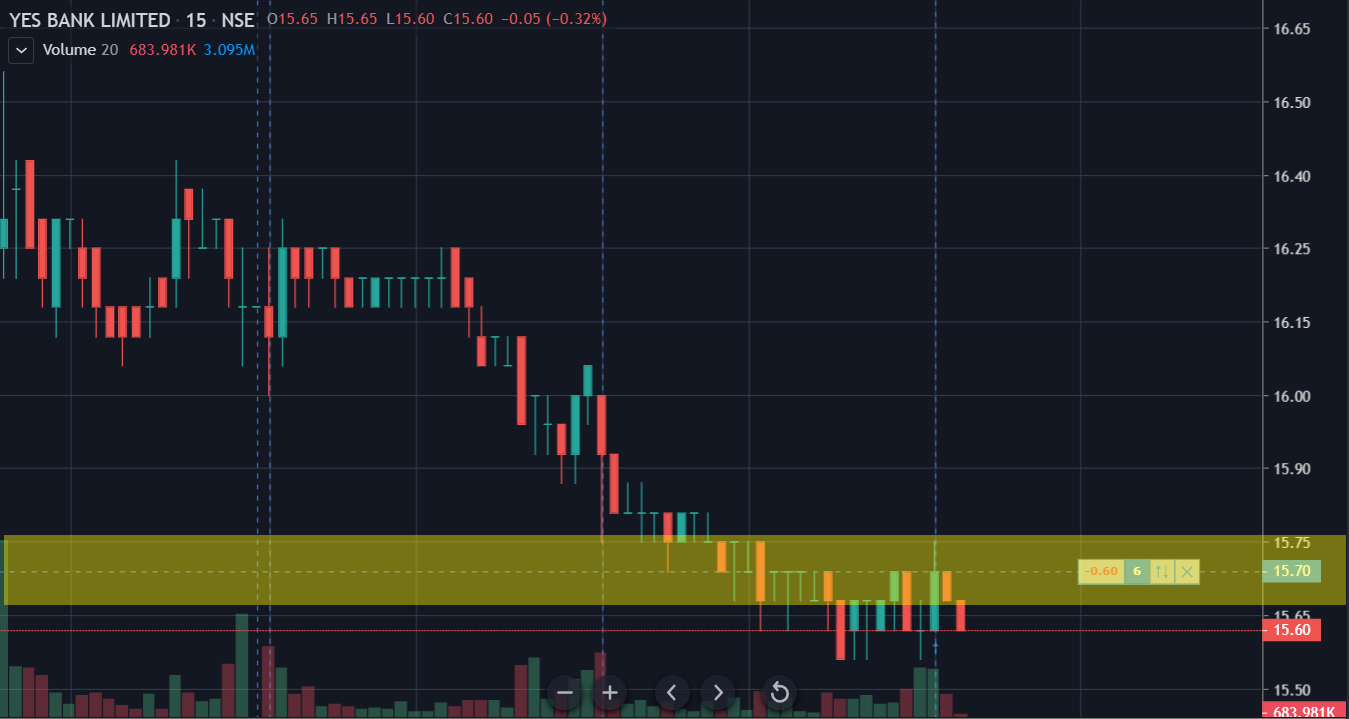
But when there are more than one position, it gets hard to track each position on their respective charts. Hence, at FYERS we provide all in one Dashboard where you can access all the required information and also track the positions of multiple scrips as pictured below:
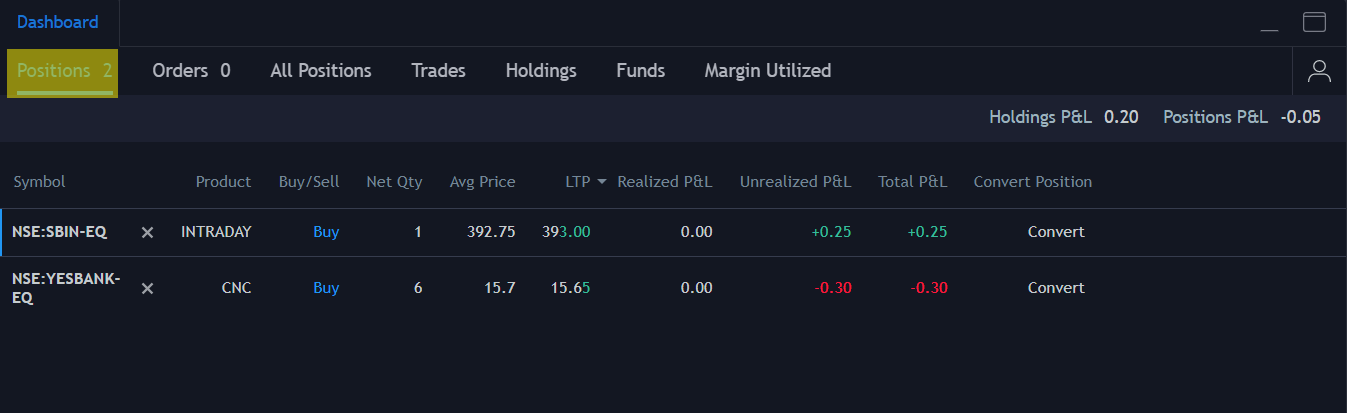
The 'Positions' Tab will help you track all your open positions and also you can exit the positions under the same by just clicking on the 'x' beside the scrip symbol.
There is another tab called 'All positions' where you can track your open positions as well as the closed ones which were traded during the day.
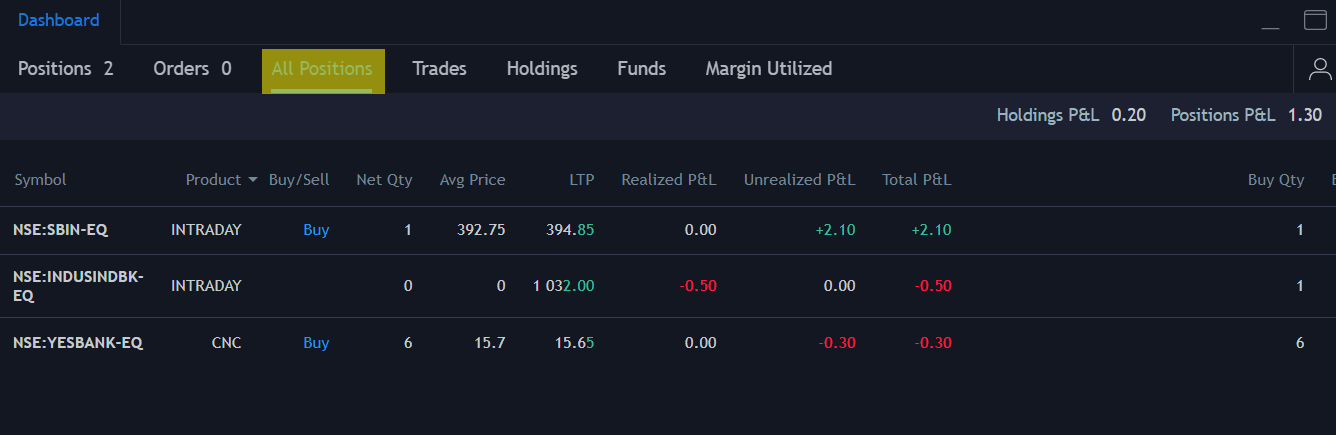
The Unrealized P&L denotes the Profit or Loss for your open positions and it is also called as Mark to Market (MTM) P&L.
The Realized P&L denotes the Profit or Loss for all your closed positions.
Total P&L is nothing but the sum of both Realized and Unrealized P&L.
Related Articles
How can I view and manage my positions and orders in FYERS Option Scalper?
FYERS Option Scalper provides a streamlined interface to help you monitor key trading activity from one screen. You can view real-time positions, check order status, review holdings, and track funds from the bottom panel while continuing to monitor ...
How To Understand P&L and Column Values in FYERS Positions?
The Positions section in FYERS helps you track your active and closed trades from one place. It shows live price movement, profit or loss, average traded prices, and transaction-level quantities for each position. Key column values in Positions ...
Quick Start Guide to View and Manage Positions
The Positions section on FYERS helps you track, review, filter, and manage your open and closed positions from one place. You can also use position-level quick actions to convert, reverse, exit, view market depth, open charts, or access other ...
How to sell my holdings on FYERS?
At FYERS, the Holdings section lets you sell stocks and ETFs available in your demat account. You can sell your full quantity or only part of your holding based on the quantity available for selling. Sell holdings on FYERS App Open the FYERS App. Tap ...
What Is FYERS Next and How Do I Install It?
FYERS Next is our desktop-based trading platform designed for active traders who need speed, flexibility, and a professional-grade terminal. It brings advanced tools, real-time data, and a fully customizable layout to help you trade efficiently ...