How to track Dividends, Splits & Bonuses on FYERS?
You can track Dividends, Splits & Bonuses in the charts on our FYERS platform. Below is the procedure to enable the option to track the same:
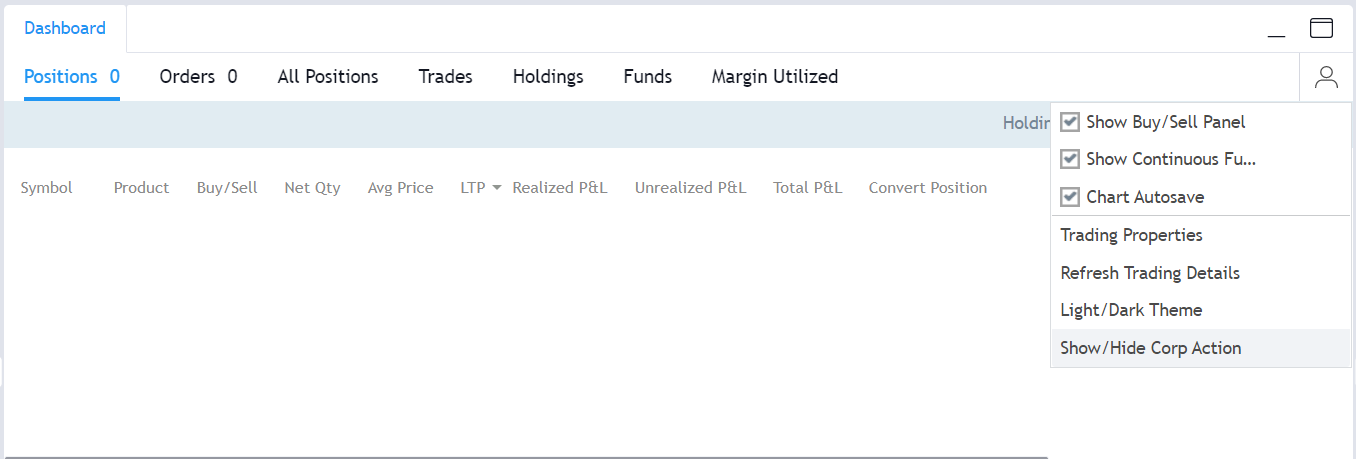
Click on the dashboard. On the right corner of the dashboard, click on the user symbol and a dropdown will appear. Click on the option 'Show/Hide Corp Action'.
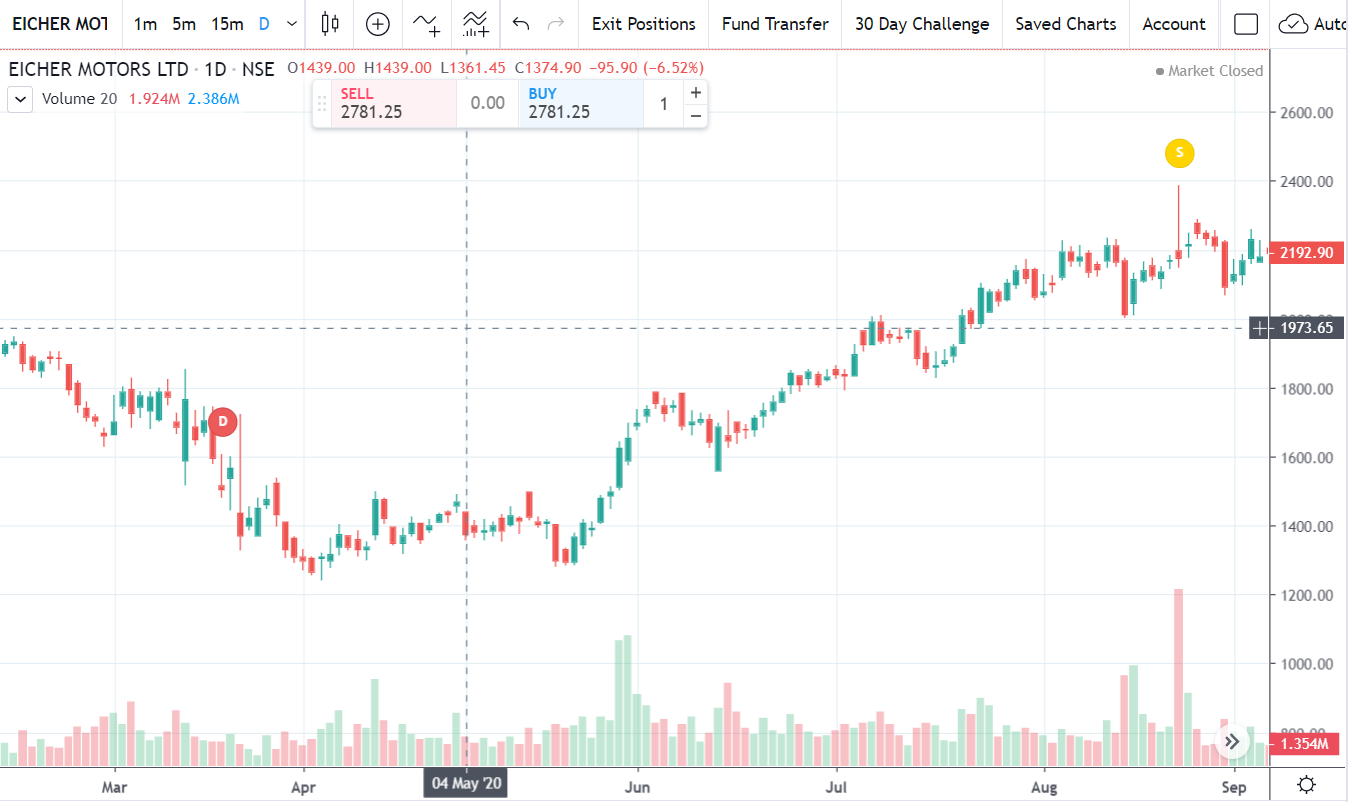
The dates on which the Dividend, Splits and Bonuses will be shown on the chart as pictured below:
(Dividend is denoted as ‘D’, Splits as ‘S’ and Bonuses will be denoted as ‘B’.)
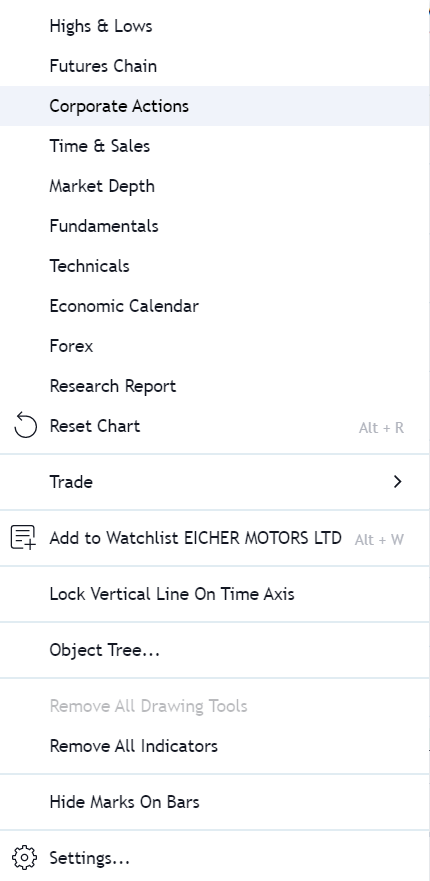
Alternatively, you can find out the dates and more details by right clicking on the charts and clicking on corporate actions.
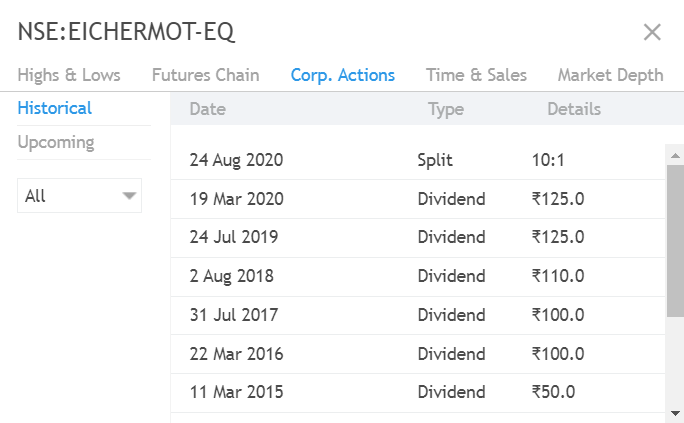
The information displayed will be as below: