How to access Multi-Chart layouts on FYERS Web?

How to access Multi-Chart layouts on FYERS Trader?

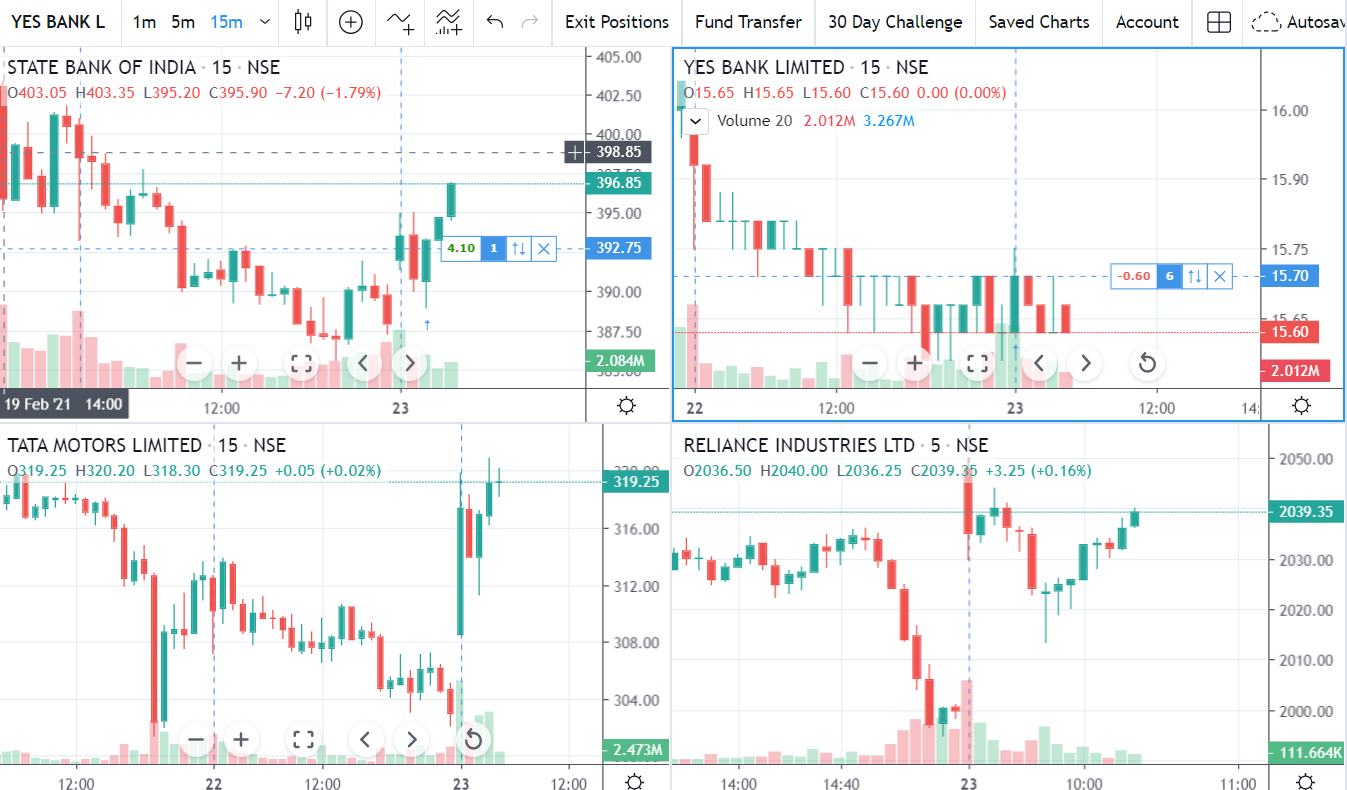
Multiple chart layouts is one of the unique features offered by FYERS in our trader platform. You can view up to 8 charts in a single layout.


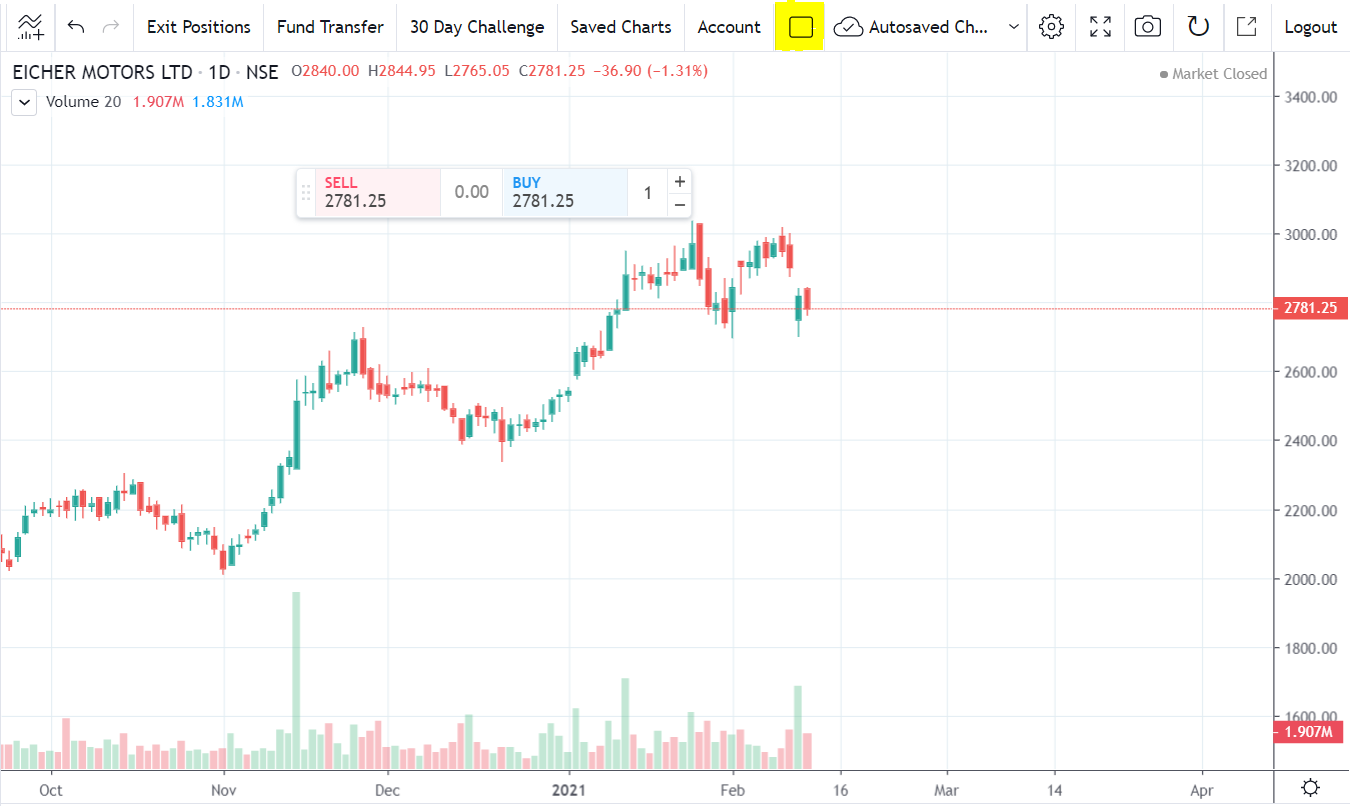
  1. There is an option of Multi-Chart layout on the top of the platform beside Account. Click on it


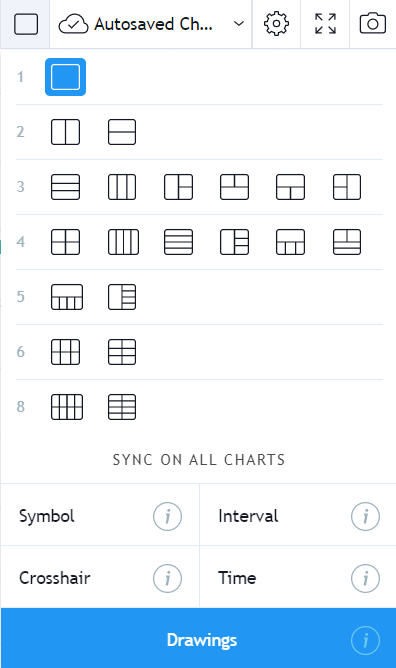
  1. You’ll get a dropdown where you can select up to 8 charts. The image is as below:


    • Related Articles

    • What are the hotkeys/shortcut keys for FYERS Trader to simplify the charting experience?

      Use these keyboard shortcuts in FYERS Trader (TradingView-powered platform at trade.fyers.in) to quickly open chart tools, switch intervals, manage watchlists, place orders, and draw—without leaving the chart. Chart tools & layouts Effect Shortcut ...
    • Does FIA Change My Saved Chart Layout?

      FIA does not change or save your chart layout. When FIA marks indicators, support and resistance or patterns, these appear on your chart. Whether they remain saved depends entirely on your chart’s autosave setting. FIA also stores a copy of each ...
    • What Chart Timeframes Can I Use on FYERS for Technical Analysis?

      At FYERS, you can pick from many chart intervals. Use shorter intervals for quick decisions, and higher intervals for a clear view of the trend. The list below shows what you can select. Supported timeframes Seconds: 5s, 10s, 15s, 30s, 45s Minutes: ...
    • How to enable Auto DOM centering in FYERS Trader?

      If you’re a trader using FYERS and you’ve noticed that the Depth of Market (DOM) view no longer centers automatically, you’re not alone. Due to a recent change on TradingView, this auto-centering feature was removed. FYERS has added a temporary ...
    • What Is the Procedure to Access Tradingview Through FYERS?

      You can connect your FYERS account to TradingView and trade directly through the Trading Panel. Once linked, you can place orders across Equity, Futures & Options, Commodities, and Currencies. Follow the steps below: Steps to access TradingView with ...